- English
- French
- German
- Portuguese
- Spanish
- Russian
- Japanese
- Korean
- Arabic
- Greek
- German
- Turkish
- Italian
- Danish
- Romanian
- Indonesian
- Czech
- Afrikaans
- Swedish
- Polish
- Basque
- Catalan
- Esperanto
- Hindi
- Lao
- Albanian
- Amharic
- Armenian
- Azerbaijani
- Belarusian
- Bengali
- Bosnian
- Bulgarian
- Cebuano
- Chichewa
- Corsican
- Croatian
- Dutch
- Estonian
- Filipino
- Finnish
- Frisian
- Galician
- Georgian
- Gujarati
- Haitian
- Hausa
- Hawaiian
- Hebrew
- Hmong
- Hungarian
- Icelandic
- Igbo
- Javanese
- Kannada
- Kazakh
- Khmer
- Kurdish
- Kyrgyz
- Latin
- Latvian
- Lithuanian
- Luxembou..
- Macedonian
- Malagasy
- Malay
- Malayalam
- Maltese
- Maori
- Marathi
- Mongolian
- Burmese
- Nepali
- Norwegian
- Pashto
- Persian
- Punjabi
- Serbian
- Sesotho
- Sinhala
- Slovak
- Slovenian
- Somali
- Samoan
- Scots Gaelic
- Shona
- Sindhi
- Sundanese
- Swahili
- Tajik
- Tamil
- Telugu
- Thai
- Ukrainian
- Urdu
- Uzbek
- Vietnamese
- Welsh
- Xhosa
- Yiddish
- Yoruba
- Zulu
Arduino TFT Touch Screen Setup: Step-by-Step Guide?
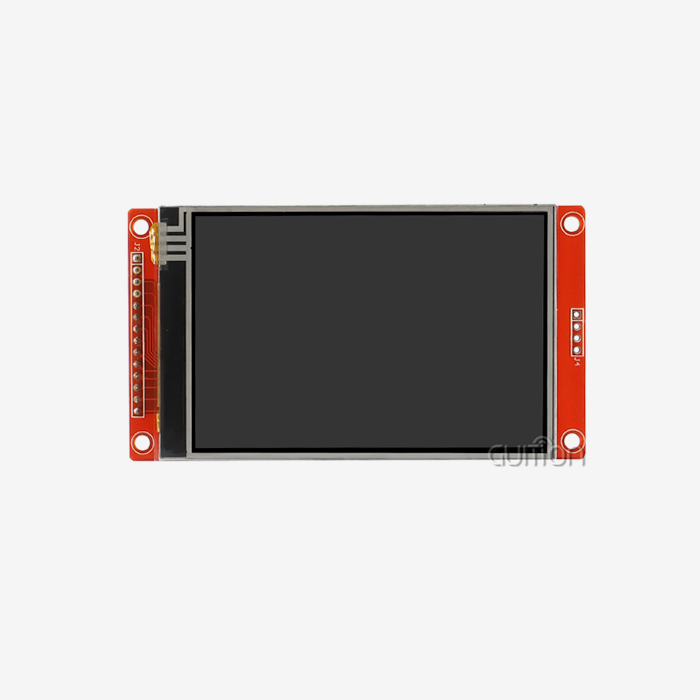
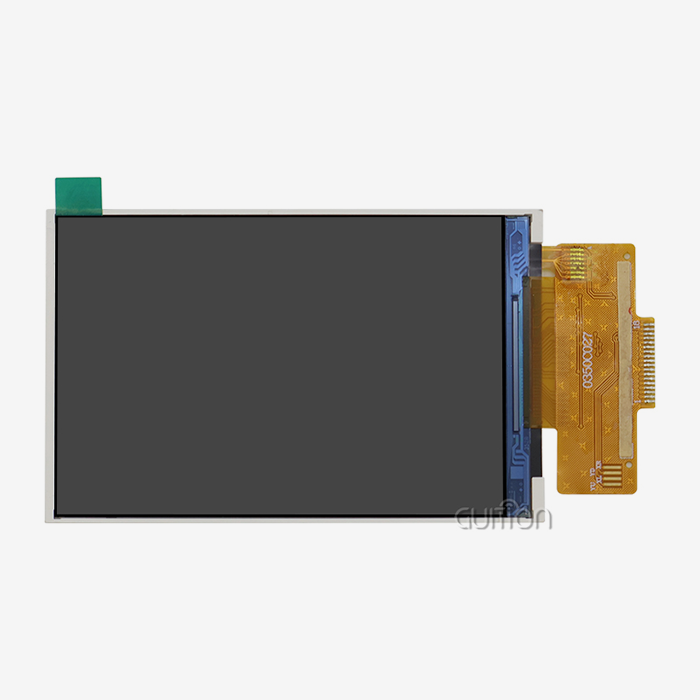
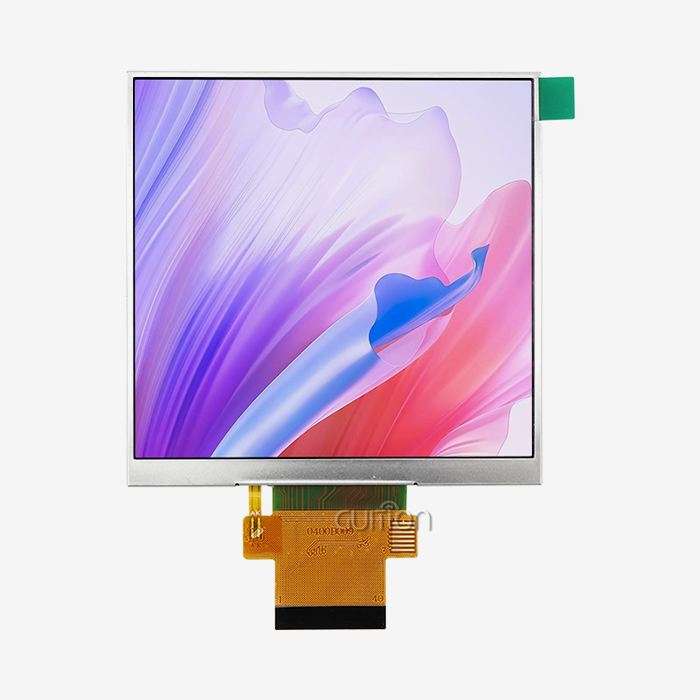
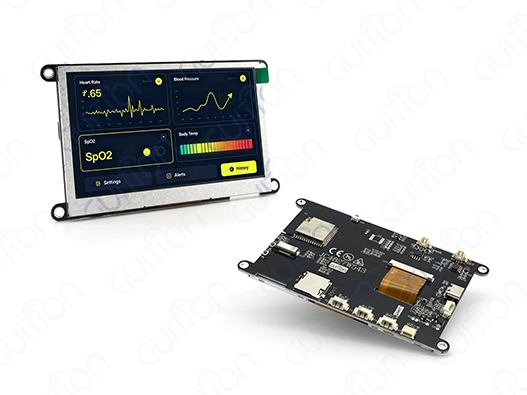
Setting up an Arduino TFT touchscreen is much easier when the display, controller, interface, and software are selected as one system. For embedded controllers, IoT equipment, automation panels, and smart devices, a TFT module provides a color graphical interface, and a touch panel provides direct user input. Not all Arduino TFT modules utilize the same controller, interface, touch technology, or pin arrangement. Before wiring, engineers should verify the display model, resolution, controller IC, operating voltage, touch interface, and library support. Hardware selection, software setup, touch calibration, troubleshooting, and production procurement are covered in this tutorial.
Start by Matching the TFT Module to Your Project
The first step is not connecting wires. It is confirming that the display fits the electrical, mechanical, and software requirements of the project.
Define the Display and Touch Requirements
Determine what the screen should display. A basic sensor panel may need numerical numbers, icons, and buttons, while an industrial HMI may need graphs, menus, alerts, and numerous pages.
Thus, the user interface should determine resolution rather than the greatest number. Standard integrated TFT resolutions include 320x240, 480x272, 480x320, 800x480, and higher variations.
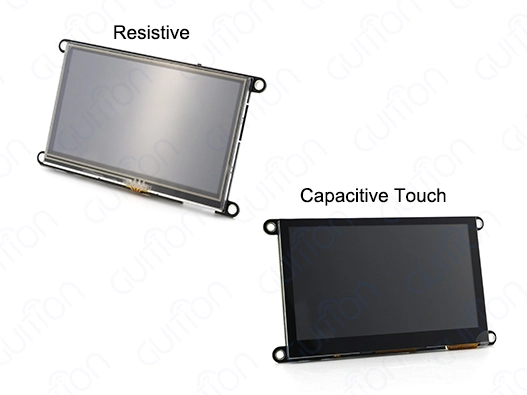
Touch technology must complement the workplace. Resistance is beneficial when operators require gloves or a stylus, but capacitive touch may smooth the interface and facilitate gesture-based engagement when the controller and sensor are configured for it.
heck the Exact Hardware Configuration
Before ordering, request the supplier's datasheet and confirm:
- Display size and resolution
- LCD controller or driver IC
- Touch-controller IC
- Interface type
- Logic voltage
- Backlight requirements
- Connector and pinout
- Flash and RAM configuration if the module contains a processor
- Operating temperature
- Mechanical dimensions
A product name alone is not enough to determine compatibility, especially when considering Quais dicas de montagem e conectividade para tela TFT com Arduino neste guia? Two TFT modules with similar screen sizes can require completely different software and wiring.
Prepare the Hardware Before Wiring
Once the module has been selected, prepare the development hardware according to the supplier's schematic.
Select the Controller and Power Supply
The controller must provide a display interface and timing. A basic SPI TFT may be made using an Arduino board, but more complex displays may need an ESP32, ESP32-S3, or another MCU/SoC with more memory and display bandwidth.
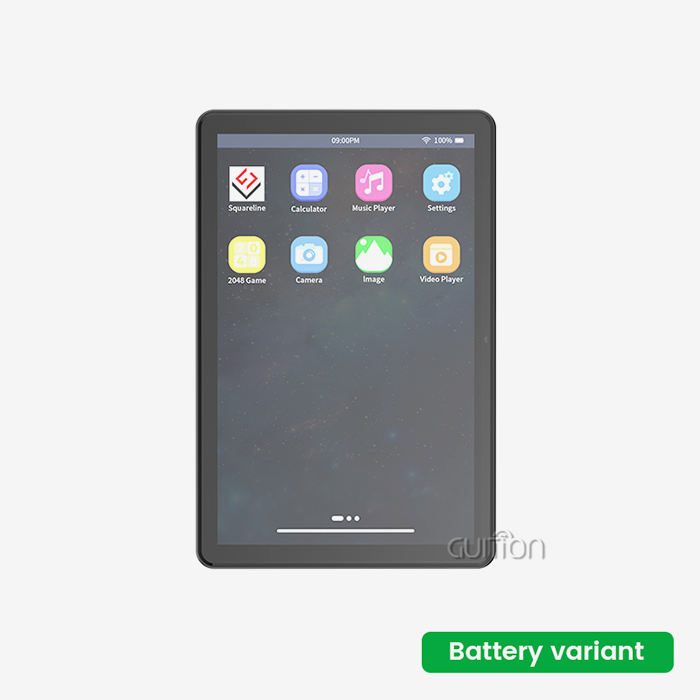
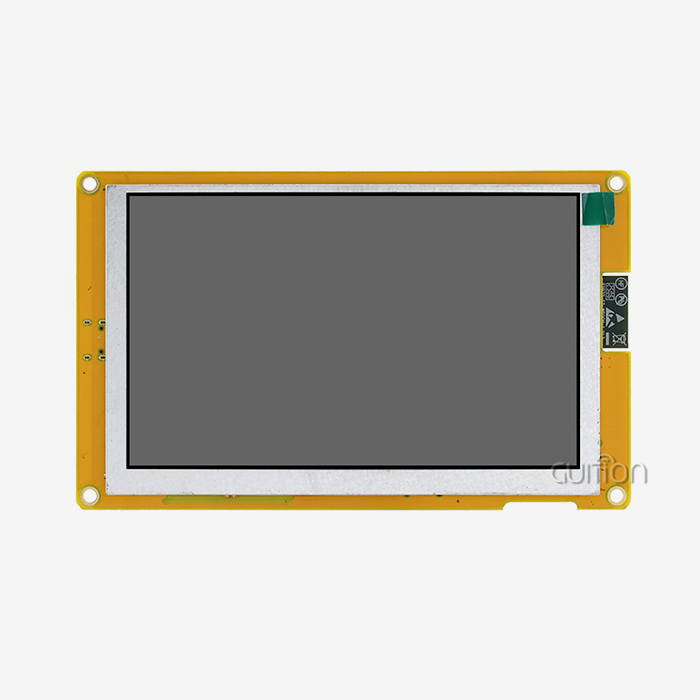
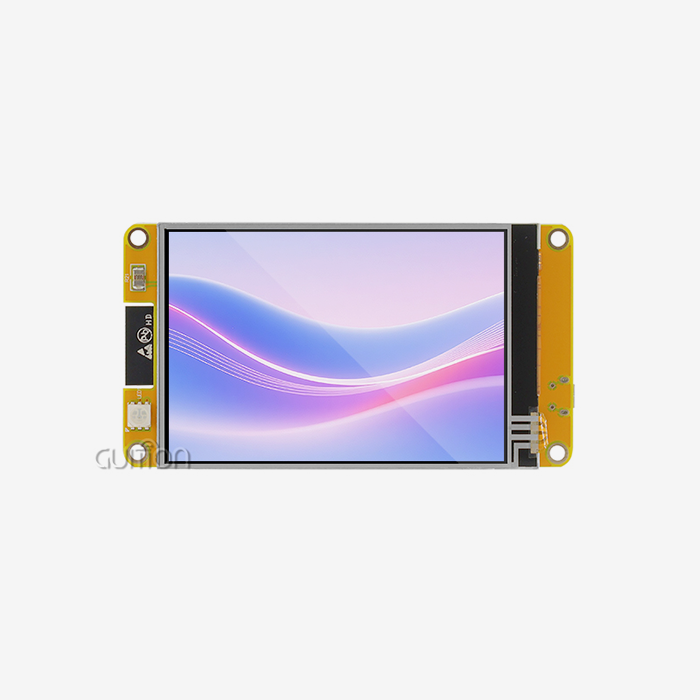
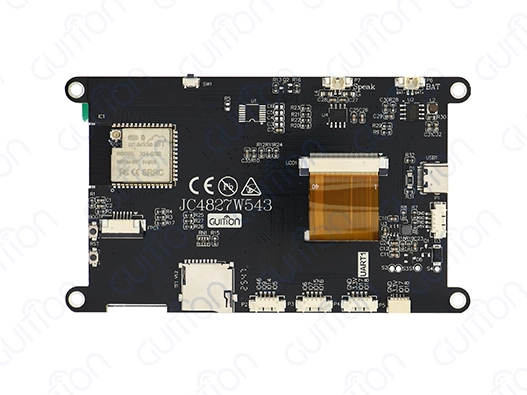
In a full intelligent display module, the CPU may reside on the display board. A GUITION module may integrate a CPU, display, touch interface, memory, and wireless features. Its specs should be confirmed against the current product datasheet, not inferred from another model.
Power supplies must be adequate for the whole module. Calculate controller, LCD logic, backlight, touch circuit, and peripheral needs.
Confirm Voltage Compatibility
Do not assume that every Arduino-compatible board can connect directly to every TFT.
A 5V development board and a 3.3V display interface may require level shifting, depending on the electrical specifications of the selected module. Some modules include voltage regulation or level conversion, while others expect the host controller to provide compatible signal levels.
Check the datasheet before connecting power or signal lines. Applying an incorrect voltage can damage the display or controller.
Install the Development Environment
After the hardware is confirmed, prepare the software environment.
Configure Arduino IDE or the Required SDK
For a conventional Arduino-compatible TFT, Arduino IDE is often a convenient starting point. Install the appropriate board package and select the correct development board before compiling an example program.
If the display includes an ESP32-based controller, the required ESP32 board package should be installed and configured according to the module documentation.
Some suppliers also support ESP-IDF, MicroPython, or proprietary GUI development environments. The best option depends on the project's software requirements and the development team's existing experience.
Select a Compatible Graphics Library
The display library must support the actual controller and interface configuration.
Libraries such as TFT_eSPI or Adafruit_GFX can support many common Arduino TFT configurations, but compatibility depends on the selected controller, pin assignments, communication method, and library configuration.
Before modifying a large project, run a basic display example first. A successful test should confirm that the screen initializes correctly and can display basic graphics and text.

Connect the Display According to Its Pinout
The wiring stage should follow the exact schematic supplied with the module.
Understand Common SPI Connections
An SPI TFT may use signals such as:
- SCLK
- MOSI
- CS
- DC
- RESET
- Optional MISO
The exact configuration depends on the display controller and whether the host needs to read data from the display.
If the touch controller or SD/TF card also uses SPI, these devices may share the clock and data lines while using separate chip-select signals, which is relevant to Quais dicas de montagem e conectividade para tela TFT com Arduino neste guia? Check the schematic carefully before assigning GPIOs.
Keep Signal Routing Practical
Shorter connections generally make high-speed digital communication easier to manage. Long jumper wires can introduce additional noise and signal-integrity problems, especially at higher clock speeds.
For early prototypes, keep the display close to the controller and use a stable ground connection. For production hardware, move the interface onto a properly designed PCB rather than relying on long jumper wires.
Run a Basic Display Test
Do not begin with a complete graphical interface. First confirm that the display itself works.
Test Initialization, Color, and Text
A basic test program can:
- Initialize the display.
- Set the correct orientation.
- Fill the screen with several colors.
- Draw simple geometric shapes.
- Display text.
- Update a small area repeatedly.
If these functions work correctly, the basic display connection is probably configured correctly.
If the screen remains white, black, or shows random pixels, check the controller configuration, reset sequence, interface selection, pin definitions, and power supply before moving to touch development.
Check the Framebuffer Requirements
More complex graphical interfaces require additional memory. Full-screen buffering can improve rendering performance but requires more RAM.
If the host controller has limited memory, partial updates can reduce the amount of framebuffer memory required. This is particularly useful when only small sections of the interface change.
The required memory depends on resolution, color depth, buffering strategy, and GUI framework, so it should be calculated for the actual project rather than estimated from screen size alone.
Configure and Calibrate the Touchscreen
Once the display works, test the touch system separately.
Confirm the Touch Controller
Touch controllers vary between modules. Some use SPI, while others use I2C or another interface.
The touch controller should be identified from the module documentation before selecting a software library. Using a library intended for a different controller can result in missing or incorrect touch coordinates.
Calibrate Touch Coordinates
Raw touch coordinates do not always correspond directly to display coordinates.
A calibration routine normally asks the user to touch several known points. The software then calculates the transformation between the raw sensor coordinates and the screen's pixel coordinates.
After calibration, test the four corners and several points across the center of the display. If the cursor or button position becomes increasingly inaccurate toward one edge, the calibration parameters or screen rotation may need to be corrected.
Test Touch Under Actual Conditions
For industrial products, test the touch panel using the same gloves, cover glass, enclosure, and grounding arrangement that will be used in production.
A touchscreen that works correctly on an open development bench may behave differently after being installed inside a metal enclosure or behind protective glass.
Build the First Touch Interface
After display and touch input are working independently, combine them into a basic HMI.
Start With Simple Controls
Begin with a few buttons, labels, indicators, and one navigation page. Confirm that touch events correspond to the correct screen coordinates.
Avoid redrawing the entire screen after every touch event. Instead, update only the areas that change.
For example, when a button changes from OFF to ON, redraw the button and its status label rather than refreshing the entire interface.
Organize the Interface as States
A simple state-machine structure can make touchscreen projects easier to maintain.
Possible states include:
- Home
- Settings
- Status
- Alarm
- Manual Control
- Network Configuration
The touch handler determines which control was selected, while the application state determines what should be displayed.
This separation makes later UI changes easier and prevents display code from becoming tightly connected to sensor and control logic.
Troubleshoot Common Arduino TFT Problems
Most initial Arduino TFT problems can be narrowed down by checking the hardware, interface, software, and power supply separately.
White or Blank Screen
A blank screen can result from:
- Incorrect driver configuration
- Wrong pin assignments
- Incorrect reset sequence
- Incompatible voltage
- Insufficient power
- Incorrect initialization commands
First verify the module's exact controller and compare the wiring with the supplier schematic. If possible, test the module with the supplier's reference example before changing library settings.
Display Works but Touch Does Not
If graphics work but touch input does not, check the touch controller separately.
Confirm:
- Touch-controller type
- Touch CS or I2C address
- Interrupt configuration if used
- Library compatibility
- Screen rotation
- Calibration values
- Ground connection
If another SPI device shares the bus, confirm that its chip-select line is inactive while the touch controller is being accessed.
Flickering or Unstable Images
Display instability can come from inadequate power, incorrect timing, poor grounding, or signal-integrity problems.
Check the supply voltage while the backlight and display are operating. Also verify that the interface timing matches the controller requirements.
For production hardware, examine PCB routing, ground returns, connector quality, and power decoupling rather than trying to solve every issue through software.
Optimize Performance After Basic Functions Work
Once the display and touch system are stable, performance can be improved.
Use Hardware Interfaces Where Supported
Hardware SPI or another native display interface is generally preferable to software-based bit-banging when the application requires frequent updates.
The achievable performance depends on the controller, display driver, interface clock, library, and amount of data being updated. Instead of relying on a fixed performance multiplier, benchmark the actual application.
Reduce Unnecessary Screen Updates
If only a small value changes, redraw that value rather than the complete interface.
DMA may also be useful when supported by the controller and library. It can reduce CPU involvement during certain data-transfer operations, but the benefit depends on the complete software architecture.
Evaluate TFT Alternatives Before Procurement
An Arduino TFT is not automatically the right choice for every application.
Compare TFT LCD With OLED and Character LCD
TFT LCD is useful when the interface needs color graphics, icons, touch controls, and frequently changing information.
Character LCDs can be simpler and cheaper when only text and basic status information are required.
OLED can provide high contrast and fast response, but buyers should consider static-content requirements, brightness, cost, operating environment, and long-term availability.
For simple status information that changes infrequently, other display technologies may be more appropriate. The selection should be based on the interface requirements rather than the technology label alone.
Compare the Complete System Cost
The display price is only one part of the project cost.
Also consider:
- Controller requirements
- External memory
- Touch controller
- PCB changes
- Software development
- Cables and connectors
- Enclosure modifications
- Certification testing
- Supplier support
- Production lead time
A slightly more expensive module may reduce integration work if it includes functions that would otherwise require additional hardware.
Qualify the Supplier Before Volume Purchasing
Supplier evaluation becomes more important when the display will be used in a commercial product.
Request the Right Documents
Before approving a module, ask for:
- Datasheet
- Schematic
- Pinout
- Mechanical drawing
- Interface specification
- Touch-controller information
- Power requirements
- Temperature specifications
- Compliance documentation
- Warranty terms
For customized products, also confirm which components are fixed and which may be substituted.
Test Samples Before Production
Request samples early enough to allow engineering validation.
The sample test should cover:
- Display quality
- Touch accuracy
- Brightness
- Viewing angle
- Power consumption
- Interface stability
- Temperature behavior
- Mechanical fit
- Connector position
- Long-duration operation
The production version should match the approved sample configuration. If a supplier changes the LCD panel, driver IC, touch controller, or other critical component, the customer should be notified, and the change should be reviewed.
Prepare the Arduino TFT for Production
A successful prototype does not automatically mean that the product is ready for mass production.
Review Mechanical and Environmental Requirements
If the equipment will operate in a dusty, wet, vibrating, or outdoor environment, evaluate the complete assembly.
IP ratings normally apply to the enclosure or finished equipment rather than automatically applying to the TFT panel itself. The display bezel, gasket, connector, cable routing, and mounting method all affect the final protection level.
Temperature testing should likewise consider the actual enclosure rather than relying only on the nominal panel specification.
Confirm Supply and Customization Terms
For B2B projects, confirm:
- MOQ
- Sample availability
- Standard lead time
- Mass-production lead time
- OEM/ODM options
- Cable customization
- Connector customization
- Firmware requirements
- Packaging
- Warranty
- Replacement policy
- Component-change notification
These details can have a direct effect on production planning.
Where Arduino TFT Touchscreens Can Be Used
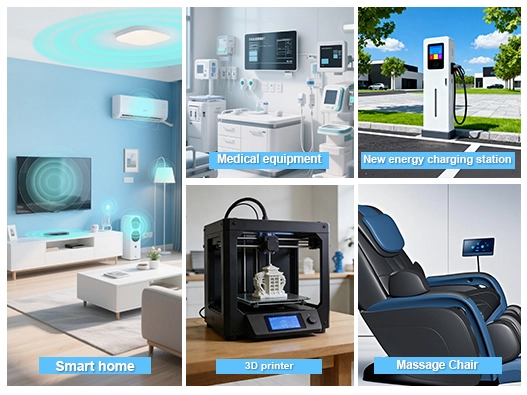
Arduino TFT modules can support a wide range of graphical embedded interfaces.
Common applications include:
- Industrial control panels
- IoT gateways
- Smart-home controllers
- Energy-monitoring equipment
- Laboratory instruments
- Agricultural equipment
- Robotics
- Charging equipment
- Building automation
For demanding applications such as medical, automotive, or safety-related equipment, additional system-level validation may be required. Engineers should evaluate electrical safety, EMC, environmental performance, software reliability, and applicable regulatory requirements according to the final product.
Conclusion
An organized integration method is better than attaching a display and installing a library for an Arduino TFT touchscreen. Verify the module, controller, resolution, interface, voltage, touch technology, and mechanical dimensions. Test the display separately, calibrate the touchscreen, and design the graphical interface in incremental steps using the supplier's schematic.
Production project evaluations should go beyond functionality. Pay attention to datasheets, pinouts, mechanical drawings, sample testing, temperature performance, touch behavior, power consumption, MOQ, lead time, customization, and long-term supply.
ESP32-based display modules like GUITION's may integrate display, computing, memory, touch, and wireless functionalities, simplifying embedded designs. The chosen model's specs should always be confirmed. Engineering and procurement teams may eliminate integration issues and improve product development by matching the module to the application and testing the hardware and software configuration before mass production.
FAQ
1. What Arduino boards work with TFT touch screens?
Most Arduino boards interface with TFT displays successfully, though specifications vary. The Arduino Uno and Mega support SPI communication, but their 5V logic requires level shifters for 3.3V displays. Modern boards like Arduino Due run at 3.3V natively, eliminating voltage conversion complexity. ESP32-based boards like those in the GUITION JC4827W543NI integrate powerful processors with Arduino IDE compatibility, offering wireless capabilities and faster processing for complex interfaces. Verify sufficient GPIO pins for your display's interface—SPI requires a minimum of five pins plus the touch controller CS.
2. How do I choose between resistive and capacitive touch?
Your application environment determines the optimal choice. Resistive touch responds to pressure, working with gloves and styluses and in wet conditions, making it preferred for industrial control panels, medical devices, and outdoor equipment. Capacitive screens require bare-finger contact but offer multi-touch gestures and superior optical clarity suited to consumer products. Consider your operators' typical working conditions—factory floors favor resistive, and retail kiosks benefit from capacitive. Cost constraints also matter; resistive technology costs less, impacting budget-sensitive projects.
3. Can I integrate multiple sensors with Arduino TFT displays?
Absolutely. The ESP32-S3 in GUITION modules has up to 10 GPIO pins, along with I2C and extra SPI buses, which makes it easy to connect temperature sensors, pressure transducers, accelerometers, or GPS modules simultaneously. The dual-core architecture allows one processor core to handle sensor data acquisition and communication while the other manages display rendering, preventing interface lag. Use the 8MB PSRAM to buffer sensor data for trending and historical analysis displayed as real-time graphs on your Arduino TFT screen.
Partner With Guition for Your Arduino TFT Display Needs
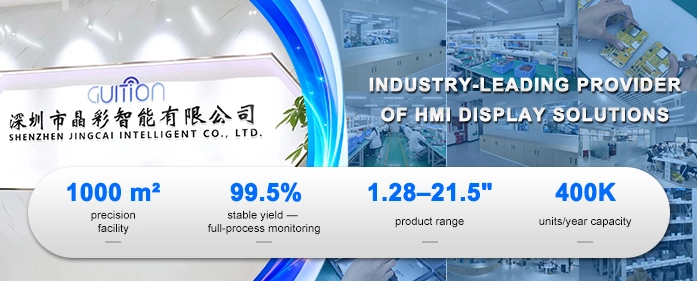
Elevating your industrial HMI projects demands more than generic Arduino TFT modules—you need a manufacturing partner combining proven technology with dedicated support. Guition specializes in USART-HMI display solutions spanning 1.28 inches to 21.5 inches, backed by our proprietary Guition development software that transforms complex interface design into intuitive drag-and-drop simplicity. The JC4827W543NI represents our commitment to innovation, integrating ESP32-S3R8 dual-core processing with wireless connectivity, resistive touch, and comprehensive development flexibility. Our customers benefit from plug-and-play convenience, one-click programming, cross-platform debugging, and remote upgrade capabilities that reduce development time and after-sales costs. As an Arduino TFT supplier focused on technology-driven solutions, we provide secondary development interfaces, multi-language support, and rich control libraries that accelerate your time-to-market. Contact david@guition.com today to discuss how our display modules can solve your specific application challenges and request samples that demonstrate our quality standards.
References
1. Barrett, S. (2021). Embedded Systems Design with Arduino: Applications in Control and Monitoring. Technical Press International.
2. Chen, R., & Park, J. (2022). Active Matrix Display Technology for Industrial Human-Machine Interfaces. Journal of Embedded Systems Engineering, 18(4), 312-328.
3. Hughes, M. (2020). Practical Guide to TFT LCD Integration in Microcontroller Projects. Maker Media Publishing.
4. Industrial Automation Standards Committee. (2023). Best Practices for HMI Display Selection in Manufacturing Environments. IASC Technical Report 2023-07.
5. Martinez, L. (2022). Comparative Analysis of Touch Technologies for Industrial Control Applications. International Journal of Industrial Electronics, 45(2), 187-203.
6. Williams, T., & Zhang, H. (2021). ESP32 Development for IoT and Display Applications: Architecture, Programming, and Implementation. Embedded Systems Press.
Learn about our latest products and discounts through SMS or email