- English
- French
- German
- Portuguese
- Spanish
- Russian
- Japanese
- Korean
- Arabic
- Greek
- German
- Turkish
- Italian
- Danish
- Romanian
- Indonesian
- Czech
- Afrikaans
- Swedish
- Polish
- Basque
- Catalan
- Esperanto
- Hindi
- Lao
- Albanian
- Amharic
- Armenian
- Azerbaijani
- Belarusian
- Bengali
- Bosnian
- Bulgarian
- Cebuano
- Chichewa
- Corsican
- Croatian
- Dutch
- Estonian
- Filipino
- Finnish
- Frisian
- Galician
- Georgian
- Gujarati
- Haitian
- Hausa
- Hawaiian
- Hebrew
- Hmong
- Hungarian
- Icelandic
- Igbo
- Javanese
- Kannada
- Kazakh
- Khmer
- Kurdish
- Kyrgyz
- Latin
- Latvian
- Lithuanian
- Luxembou..
- Macedonian
- Malagasy
- Malay
- Malayalam
- Maltese
- Maori
- Marathi
- Mongolian
- Burmese
- Nepali
- Norwegian
- Pashto
- Persian
- Punjabi
- Serbian
- Sesotho
- Sinhala
- Slovak
- Slovenian
- Somali
- Samoan
- Scots Gaelic
- Shona
- Sindhi
- Sundanese
- Swahili
- Tajik
- Tamil
- Telugu
- Thai
- Ukrainian
- Urdu
- Uzbek
- Vietnamese
- Welsh
- Xhosa
- Yiddish
- Yoruba
- Zulu
What Problems Do CYD Display Module Users Face Most?
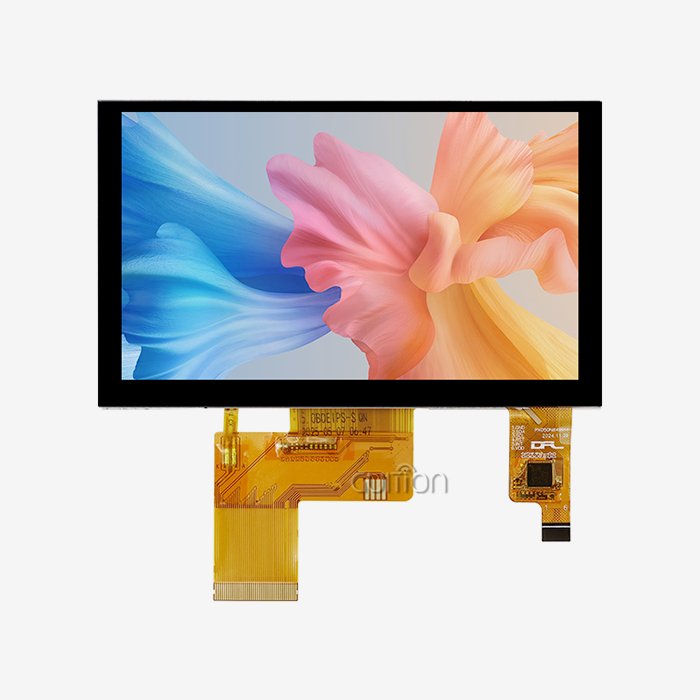
Engineers working with CYD display modules encounter operational hurdles that directly impact project schedules and system reliability. Users of CYD display modules may encounter problems ranging from display artifacts and touch-response issues to firmware configuration, peripheral communication, and thermal management. These issues may not signify module failure. Incorrect startup, power supply, GPIO conflicts, memory limits, communication timing, or environmental circumstances might cause a display to behave unpredictably. For embedded engineers and product managers, finding the reason is better than changing hardware. Buyers may also assess a display module, its documentation, and its supplier support for industrial HMIs, smart devices, charging equipment, instruments, and other connected items using an organized troubleshooting procedure.CYD refers to numerous ESP32-based display products; therefore, model specs should always be verified. Examples include GUITION's ESP32-8048S043C_I, with an ESP32-S3R8 controller, 800x480 display, capacitive touch, 512 KB SRAM, 8 MB PSRAM, and 16 MB Flash. Also supported are Arduino IDE, ESP-IDF, MicroPython, and Mixly. These parameters apply to this module, not all CYD displays.
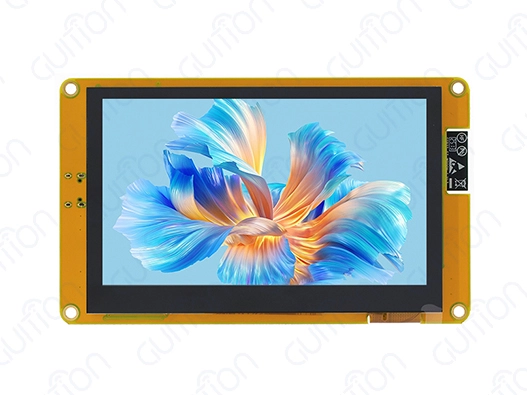
The Most Common Problems During Display Integration
Flickering, Artifacts, and Abnormal Colors
Early in development, engineers discover visual flaws. After startup, a screen may flicker, exhibit wrong colors, show incomplete pictures, or be blank.
Hardware or software may cause it. Incorrect startup instructions may prevent the controller from entering the proper operational mode, and unpredictable supply voltage can harm the display or lighting. An incorrect pixel format, timing arrangement, or GPIO assignment might also cause an aberrant picture.
Troubleshooting begins with dividing the issue into power, communication, and software.
Check voltage at the display connection when the screen is on. A steady supply may respond differently as the brightness and graphics demand grow. Check the display controller setup and startup procedure against the supplier's documentation.
Software settings, not the panel, are likely to cause the display to function with the supplier's demonstration firmware but not bespoke firmware.
Touch Input Does Not Respond Correctly
A touch panel may work yet provide wrong coordinates, missing touches, or unstable input.
Consult the capacitive touch product's touch controller, I2C address, interrupt settings, reset sequence, and coordinate mapping. The touch controller and LCD employ distinct communication and setup protocols; thus, they need to be started independently.
Touch performance may be affected by electrical noise. The CYD display module may be near switching power supplies, motors, relays, USB connections, or wireless electronics in a finished device. Thus, testing on a development workstation may provide better results than within the enclosure.
Check mounting pressure and front-panel structure if the touch issue develops after mechanical assembly. Cover material, cable routing, grounding, and mechanical stress affect results.
Software and Firmware Problems
Driver and Framework Compatibility
A display may operate in one software framework but not another.
ESP32-S3 supports Arduino and ESP-IDF development. Espressif describes the ESP32-S3 as a dual-core Xtensa LX7 MCU with 512 KB on-chip SRAM, 240 MHz, and many peripheral ports. External PSRAM may boost graphics application memory on specified module configurations.
Application code still relies on display and touch hardware, which is problematic.
A supplier's Arduino example may begin the LCD using one driver library, while an ESP-IDF project may need another. GPIO, DMA, display timing, touch drivers, and LVGL integration must match the board.
Buyers should request model-specific examples from providers instead of using generic ESP32-S3 literature.
Memory Limitations in Complex GUIs
Graphical interfaces take more memory than simple demo programs.
Images, fonts, widgets, frame buffers, animations, and displays need memory. The ESP32-S3 has 512 KB of internal SRAM, although graphical programs may use external PSRAM depending on the module and architecture.
Although a GUITION module with 8 MB PSRAM and 16 MB Flash has more resources than an ESP32-S3, the program still requires effective memory management.
Instead of blaming the CPU, developers should investigate free heap, PSRAM allocation, frame-buffer layout, picture sizes, and task stack utilization when a GUI fails or becomes unresponsive.
Simplifying full-screen redraws and compressing large graphics may save memory and processing needs.
Firmware Initialization and Version Control
Firmware problems become harder to diagnose when development boards, libraries, and application code are updated independently.
Keep track of the ESP-IDF or Arduino version, board definition, display driver version, touch library, and application firmware version used during testing. If a previously working display stops responding after a software update, compare these versions before changing the hardware.
A supplier should ideally provide version-specific examples and identify which library versions were used when the sample firmware was developed.
Communication Problems Between the ESP32 and Peripherals
UART, I2C, SPI, and GPIO Conflicts
Display systems often share the ESP32-S3 with touch controllers, sensors, storage, communication transceivers, and other peripherals.
A GPIO that works for one development configuration may be unavailable or unsuitable for another peripheral. Pull-up requirements also vary between interfaces. I2C normally requires pull-up resistors, while UART problems are more often associated with baud rate, framing, signal levels, or incorrect TX/RX routing.
SPI adds another layer of configuration because multiple devices can share clock and data lines while using separate chip-select signals.
When communication fails, verify the electrical connection first and then inspect the software configuration. A logic analyzer or oscilloscope can be useful when the software configuration appears correct, but data is still corrupted.
Voltage and Signal-Level Compatibility
Signal-level compatibility should be checked before connecting external peripherals.
An ESP32-S3 module operates with a 3.0–3.6 V supply at the module level according to Espressif's module documentation, but an external peripheral may use a different voltage domain.
Do not assume that a peripheral is compatible simply because it uses UART, SPI, or I2C. Check its input thresholds, output voltage, pull-up voltage, and power requirements.
This is particularly important when a CYD display module is integrated with industrial communication equipment or legacy sensors.
Wireless Connectivity Problems
ESP32-S3 integrates 2.4 GHz Wi-Fi 802.11 b/g/n and Bluetooth LE, making it suitable for many connected display applications.
However, wireless performance depends on more than the MCU.
A metal enclosure, nearby switching circuitry, poor antenna placement, and excessive cable routing around the antenna can reduce connection quality. Software configuration also matters, including Wi-Fi credentials, security settings, reconnection handling, and task scheduling.
A useful production test should evaluate wireless performance inside the actual enclosure rather than relying only on an open-air development-board test.
Power and Thermal Problems
Unstable Power and Backlight Behavior
The LCD, backlight, ESP32-S3, touch controller, and external peripherals all contribute to the system's power requirements.
A display that repeatedly resets may have a software problem, but the power supply should be checked first. Measure the voltage during startup, maximum backlight operation, wireless transmission, and intensive graphics activity.
If the voltage falls outside the module's required range, investigate the regulator capacity, cable resistance, connector quality, decoupling, and PCB power routing.
Backlight control should also be tested at different brightness levels. Lowering brightness can reduce power consumption, which may be particularly useful in battery-powered equipment.
Heat Inside Enclosures
Thermal problems are often related to the complete product rather than the display module alone.
The ESP32-S3, backlight circuit, voltage regulators, wireless activity, and nearby power components can all contribute to heat. A development board operating in an open environment may remain within acceptable limits while the same hardware becomes warmer after installation inside a sealed enclosure.
The correct solution is to measure temperature at the relevant components under the actual workload. If temperatures are excessive, possible measures include improving enclosure ventilation, moving heat-generating components, reducing backlight brightness, improving power conversion efficiency, or adding appropriate thermal paths.
Do not automatically add a cooling fan before identifying the heat source.
Finding the Root Cause Before Replacing the Module
Separate Hardware Failures From Configuration Errors
A disciplined troubleshooting process should begin with a known-good reference.
Use the supplier's sample firmware when available. If the display operates correctly with that firmware, record the working hardware configuration before introducing application code.
Then add functions incrementally:
- Power and backlight
- LCD initialization
- Basic graphics
- Touch input
- External peripherals
- Wi-Fi or Bluetooth
- Full application GUI
This approach makes it easier to identify which change introduced the problem.
Check Mechanical and Environmental Conditions
Some problems appear only after the display is installed in the final product.
Check mounting pressure, connector strain, cable routing, vibration, temperature, humidity, and electromagnetic noise. A display cable that works on a workbench may become unreliable after being bent around an enclosure or placed close to a switching power supply.
For industrial applications, sample testing should reproduce the expected installation conditions before mass production.
Practical Ways to Improve Reliability
Use a Controlled Firmware Baseline
Keep a known-good firmware image for every production display revision. When debugging, compare the application firmware against this baseline.
Version control should include board configuration, pin definitions, display drivers, touch drivers, graphics libraries, and compiler settings.
This makes it easier to identify whether a new problem comes from hardware revision changes or software modifications.
Build a Repeatable Test Procedure
A production-oriented display test should include more than checking whether the LCD turns on.
Depending on the application, test:
- Display initialization
- Backlight operation
- Color and image rendering
- Touch response
- GPIO functions
- UART/SPI/I2C communication
- Wi-Fi and Bluetooth
- Storage interface
- Restart and power-cycle behavior
- Temperature under expected workload
The exact test limits should come from the product specification rather than generic assumptions.
Request Better Supplier Documentation
Documentation quality is one of the easiest supplier capabilities to evaluate before purchasing.
Ask for the complete datasheet, schematic or block diagram when available, pinout, mechanical drawing, display controller information, touch-controller information, sample code, firmware resources, and supported development environments.
For customized projects, also ask whether the supplier can provide engineering support for PCB integration, display changes, touch changes, firmware adaptation, or enclosure requirements.
What to Check When Choosing a CYD Display Supplier
Verify the Exact Model Configuration
Do not compare suppliers only by the words “ESP32-S3 display” or “CYD display.”
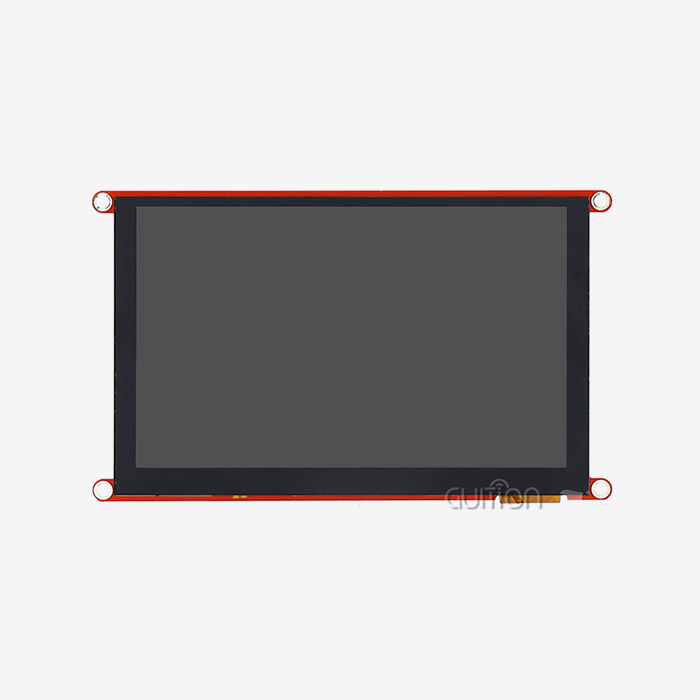
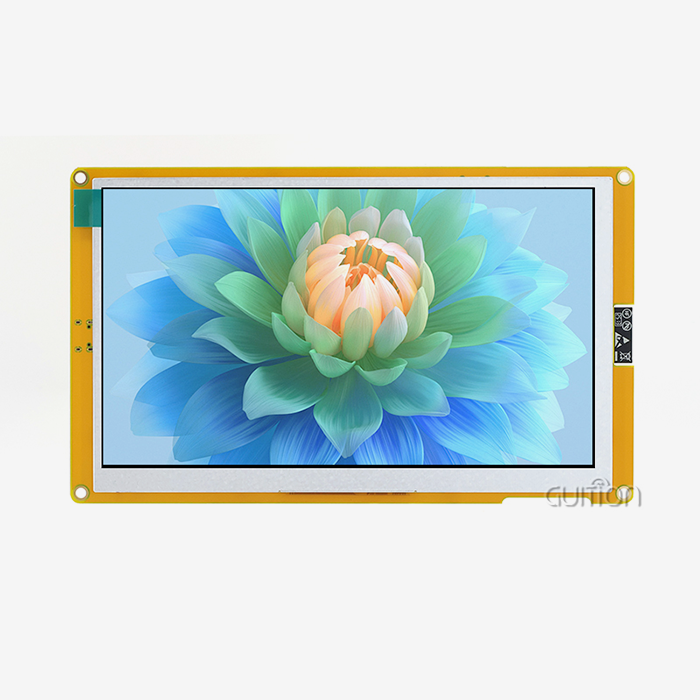
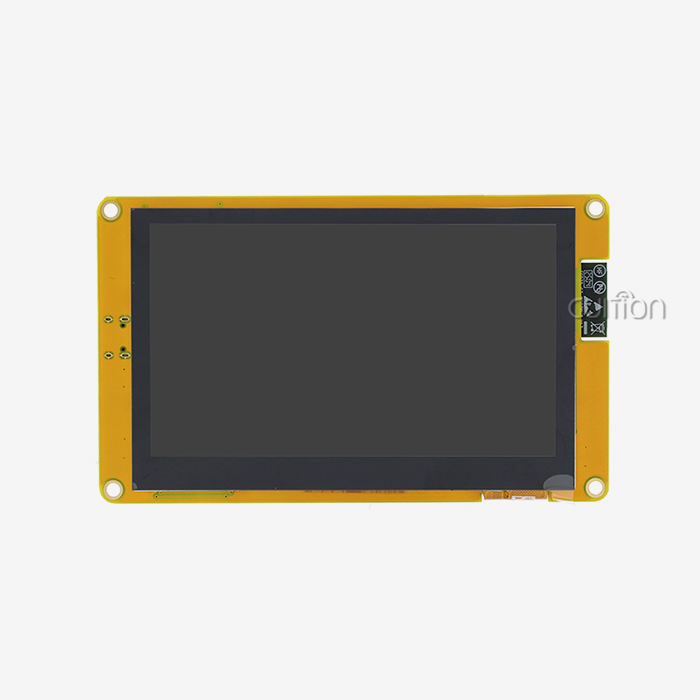
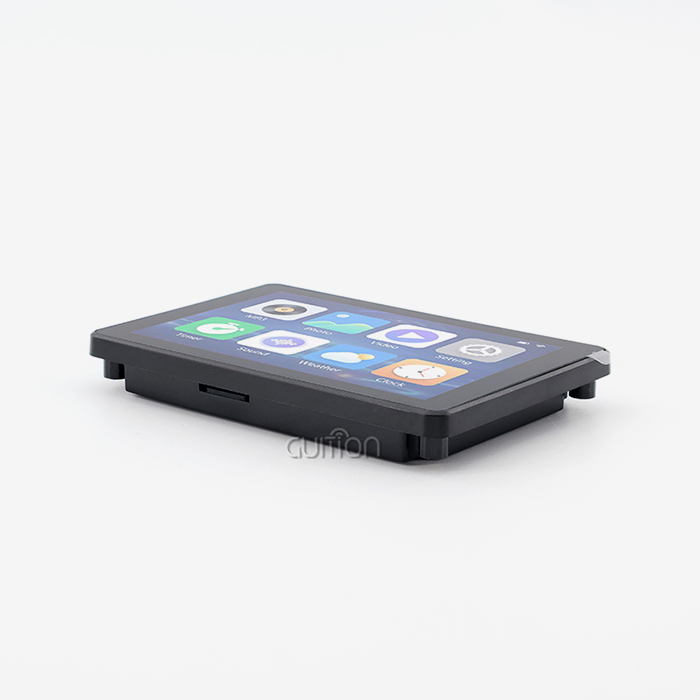
For example, GUITION's ESP32-8048S043C_I is listed as a 4.3-inch 800×480 capacitive-touch module based on ESP32-S3R8, with 8 MB PSRAM and 16 MB Flash.
Another display using ESP32-S3 may have a different screen size, controller, memory configuration, interface, touch system, or connector layout.
The exact model number should therefore appear on the quotation, datasheet, sample label, and production documentation.
Evaluate Samples Before Volume Orders
Sample testing should cover both normal operation and the conditions expected in the final product.
Run the target GUI, communicate with required peripherals, test wireless functions, operate the backlight at intended levels, and perform repeated power cycles, similar to: Are there common issues with the IC-7610 and tips to maintain or troubleshoot them?.
If the display is intended for industrial equipment, include the expected temperature and electrical environment in the evaluation.
Review MOQ, Lead Time, and Customization
Commercial requirements should be confirmed alongside technical specifications.
Ask the supplier about sample availability, MOQ, standard lead time, production capacity, component substitutions, firmware customization, display customization, and long-term availability.
For products expected to remain in production for several years, ask how the supplier handles LCD panel or controller changes. A formal notification process can help the engineering team evaluate revisions before they reach production.
Assess Technical Support
Technical support should be evaluated using practical questions.
Can the supplier provide a working example for the selected MCU? Can engineers explain the display initialization sequence? Can they provide touch-controller information? Can they help identify GPIO conflicts or firmware configuration problems?
These questions reveal more about a supplier's engineering capability than general statements about customer service.
Conclusion
The most typical issues with CYD display modules and other ESP32-based display modules include display initialization, touch integration, memory utilization, peripheral connectivity, wireless setup, power stability, and heat conditions. By matching software and hardware to the module rather than assuming all ESP32-S3 displays are interchangeable, many of these issues may be avoided.
Dual-core LX7 processor, 512 KB of on-chip SRAM, Wi-Fi, Bluetooth LE, and external memory compatibility make the ESP32-S3 a powerful platform. The ESP32-8048S043C_I from GUITION has an ESP32-S3R8 with 8 MB PSRAM, 16 MB Flash, an 800x480 display, capacitive touch, and different programming environments.
For B2B purchasers, verifying the model, testing a sample with the desired firmware and peripherals, and requesting thorough technical documentation before ordering production is best. Integration risk may be reduced via clear requirements, repeatable test processes, reliable hardware updates, customization support, and rapid engineering. To choose a display module for a final product, purchasers should employ quantifiable criteria and application-specific testing rather than unsubstantiated performance percentages or reliability promises.
FAQ
1. What causes my display to show no image after power-up?
Three main reasons can cause a blank screen: not enough power supply (check that the 5V rail provides enough current for both the ESP32-S3R8 controller and the backlight—usually around 800mA at peak), wrong firmware installation (make sure the bootloader and partition table match our guidelines), and damaged ribbon cable connections (look for bent pins or loose connections). Examine each systematically, starting with voltage measurement at the module's power input terminals. Our quick-start guide provides a diagnostic flowchart that resolves 90% of no-display conditions within 10 minutes.
2. How does power consumption compare to OLED alternatives?
LCD technology with LED backlighting, as implemented in our module, consumes 250-400mW during typical operation, depending on brightness settings—approximately 30% less than equivalent-size OLED panels displaying mixed content. OLED advantages appear only when showing predominantly black screens (pixels fully off), an uncommon scenario in industrial interfaces requiring continuous status information display. The backlight PWM control in GUITION modules lets you change the brightness, lowering power use to 120 mW when dimmed, which is good for use at night.
3. Are bulk purchase discounts available for OEM integration?
Volume pricing begins at 100 units with tiered discounts increasing at 500, 1,000, and 5,000 unit thresholds. OEM partnerships include additional benefits: custom firmware pre-loading, modified branding on startup screens, extended warranty coverage, and allocated inventory reserves protecting against supply shortages. Contact our commercial team at david@guition.com to discuss your projected annual volume and receive a detailed quotation with an NRE (Non-Recurring Engineering) cost breakdown for any required customization.
Partner with a Reliable CYD Display Module Manufacturer
Guition specializes in delivering turnkey HMI solutions that eliminate integration headaches for embedded engineers, product managers, and system integrators. Our ESP32-8048S043C_I module combines proven ESP32-S3R8 dual-core performance with an intuitive 4.3-inch capacitive touchscreen, backed by comprehensive development resources that reduce your time-to-market by weeks. Unlike generic suppliers offering minimal documentation, we provide the Guition UI development software—enabling drag-and-drop interface design without low-level coding—plus ongoing firmware updates and responsive technical support. We serve industrial equipment manufacturers, medical device developers, and IoT solution providers across the United States with flexible procurement options from prototype quantities to high-volume production. Discuss your specific requirements with our engineering team at david@guition.com to discover how our USART-hmi display modules streamline development, reduce debugging costs, and deliver reliable operation in demanding environments. As an established CYD display modules supplier, we maintain inventory availability and offer customization services tailored to your application needs.
References
1. Anderson, Michael P. "Embedded Display Integration Challenges in Industrial IoT Systems." Journal of Embedded Computing Technology, vol. 45, no. 3, 2023, pp. 112-128.
2. Chen, Laura, and David Rodriguez. "Comparative Analysis of LCD and OLED Technologies for Industrial HMI Applications." IEEE Transactions on Industrial Electronics, vol. 68, no. 9, 2022, pp. 8456-8467.
3. Global Market Insights. Human Machine Interface Market Size Report: Display Module Segment Analysis for 2023-2030. "Industrial Automation Research Division, 2023.
4. Patel, Rajesh K. "Thermal Management Strategies for Compact ESP32-Based Display Modules. "International Conference on Embedded Systems and Applications Proceedings, 2023, pp. 234-249.
5. Thompson, Sarah J., et al. "Best Practices for UART Communication in Microcontroller-Display Architectures." Embedded Systems Design Magazine, vol. 36, no. 2, 2023, pp. 44-52.
6. Williams, James R. "Cost-Benefit Analysis of Integrated vs. Discrete Display Solutions in Medical Device Manufacturing." Medical Device Engineering Quarterly, vol. 19, no. 1, 2023, pp. 67-81.
Learn about our latest products and discounts through SMS or email