- English
- French
- German
- Portuguese
- Spanish
- Russian
- Japanese
- Korean
- Arabic
- Greek
- German
- Turkish
- Italian
- Danish
- Romanian
- Indonesian
- Czech
- Afrikaans
- Swedish
- Polish
- Basque
- Catalan
- Esperanto
- Hindi
- Lao
- Albanian
- Amharic
- Armenian
- Azerbaijani
- Belarusian
- Bengali
- Bosnian
- Bulgarian
- Cebuano
- Chichewa
- Corsican
- Croatian
- Dutch
- Estonian
- Filipino
- Finnish
- Frisian
- Galician
- Georgian
- Gujarati
- Haitian
- Hausa
- Hawaiian
- Hebrew
- Hmong
- Hungarian
- Icelandic
- Igbo
- Javanese
- Kannada
- Kazakh
- Khmer
- Kurdish
- Kyrgyz
- Latin
- Latvian
- Lithuanian
- Luxembou..
- Macedonian
- Malagasy
- Malay
- Malayalam
- Maltese
- Maori
- Marathi
- Mongolian
- Burmese
- Nepali
- Norwegian
- Pashto
- Persian
- Punjabi
- Serbian
- Sesotho
- Sinhala
- Slovak
- Slovenian
- Somali
- Samoan
- Scots Gaelic
- Shona
- Sindhi
- Sundanese
- Swahili
- Tajik
- Tamil
- Telugu
- Thai
- Ukrainian
- Urdu
- Uzbek
- Vietnamese
- Welsh
- Xhosa
- Yiddish
- Yoruba
- Zulu
What Size Arduino TFT Should You Choose?
When selecting an Arduino TFT display for your embedded systems project, size becomes the defining factor that influences readability, integration complexity, and overall user experience. Choosing an Arduino TFT size goes beyond screen size. Viewing distance, enclosure space, resolution, display interface, controller performance, memory, touch needs, power budget, and development environment must be considered by engineers. Arduino-compatible TFT modules range from small screens for handheld devices to massive HMI panels for industrial applications. The best selection is the one that suits the system, not just the biggest screen that fits the container.

What Should You Evaluate Before Selecting an Arduino TFT?
Start with the User Interface, Not the Panel Size
First, consider how people will utilize the product. A basic sensor reading display needs less space than an HMI with various parameters, charts, status indicators, and touch buttons.
For tiny equipment, a 1.28-inch to 2.8-inch display can fit numbers, icons, and rudimentary menus. Designers have greater area for touch controls and information-dense interfaces with 3.5-inch to 5-inch modules. When more data fields must be seen, larger screens help.
Viewing distance affects too. An operator standing further from the equipment can see text and controls better on a bigger display. A big panel may increase enclosure size without providing practical utility if the gadget is held in the hand.
Check the Physical Installation Area
Before buying a display, measure the opening and mounting area, not only the diagonal dimension.
Two screens with the same diagonal might differ:
- Display regions active
- Size of modules
- Bezel widths
- Locations of mounting holes
- PCB plans
- Cable spots
So, create the enclosure around the module drawing. Before tooling, engineers should seek the supplier's mechanical drawing for production projects.
How Do Different Arduino TFT Sizes Compare?
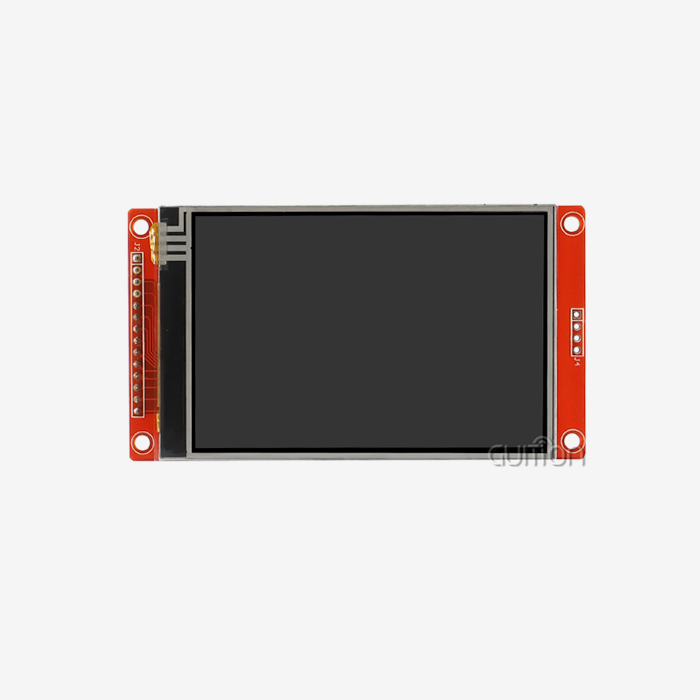
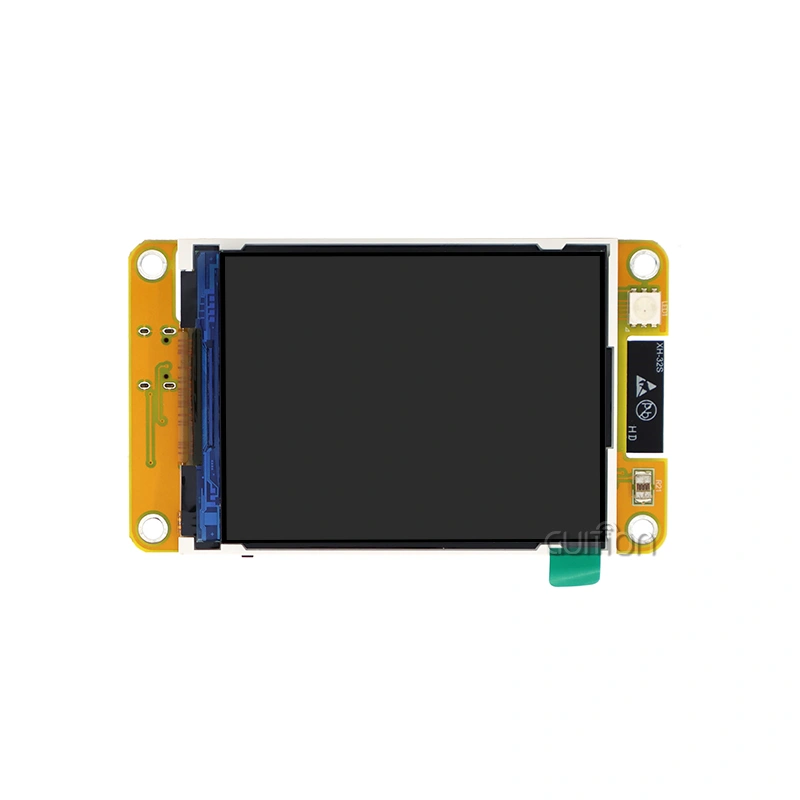
Compact 1.28-Inch to 2.8-Inch Displays
Small TFT modules are useful for design restrictions like size and power.
Common uses:
- Transportable tools
- Small IoT devices
- Handheld controls
- Wearables
- Compact measuring gear
Common resolutions include 240x240, 240x320, or 320x240, depending on the panel and controller.
The key benefit is easy integration into devices with limited PCB and enclosure space. SPI is also used in smaller display modules, however check the datasheet for the interface.
The major constraint is interface density. Big buttons, labels, charts, and operational states are harder to fit on small displays. If users must view the display from afar or use it with gloves, a bigger screen may be better.
Mid-Size 3.5-Inch to 5-Inch Displays
For many embedded HMI projects, the mid-size range provides a useful balance between physical dimensions and interface space.
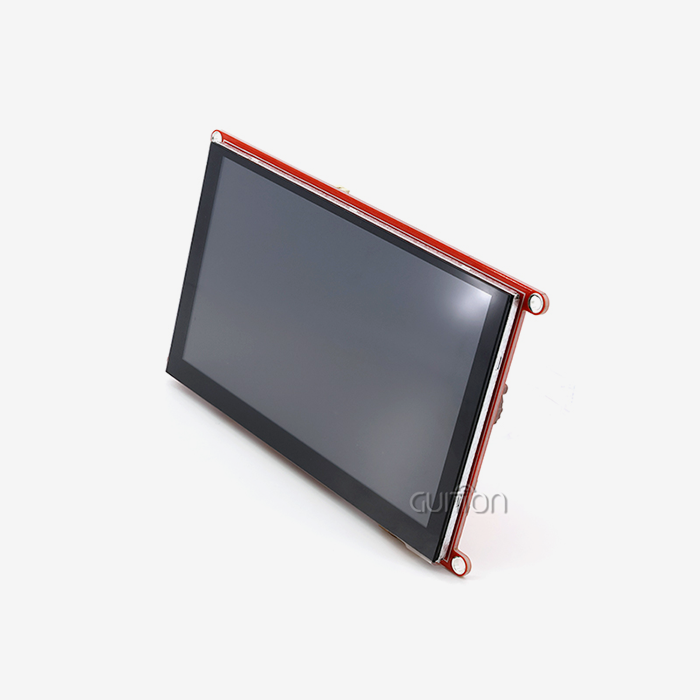
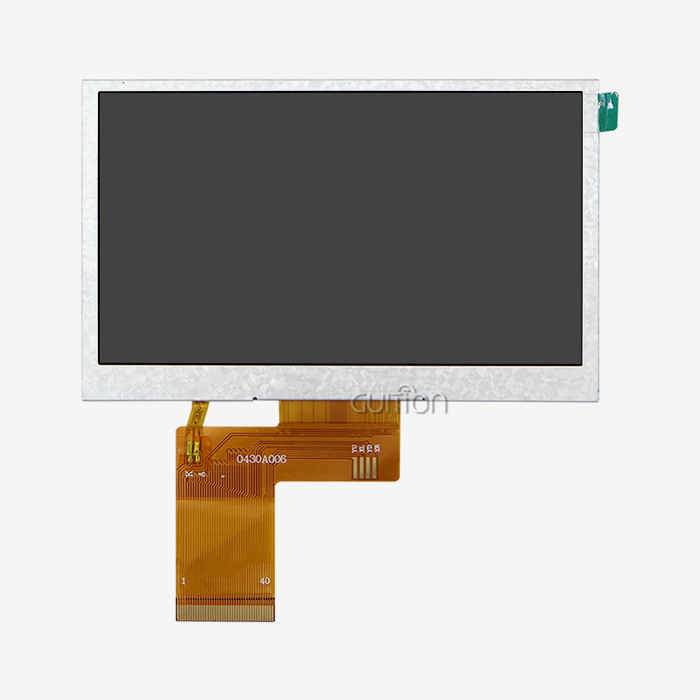
A 4.3-inch module, for example, can provide enough area for:
- Navigation buttons
- Status information
- Numeric values
- Simple charts
- Touch controls
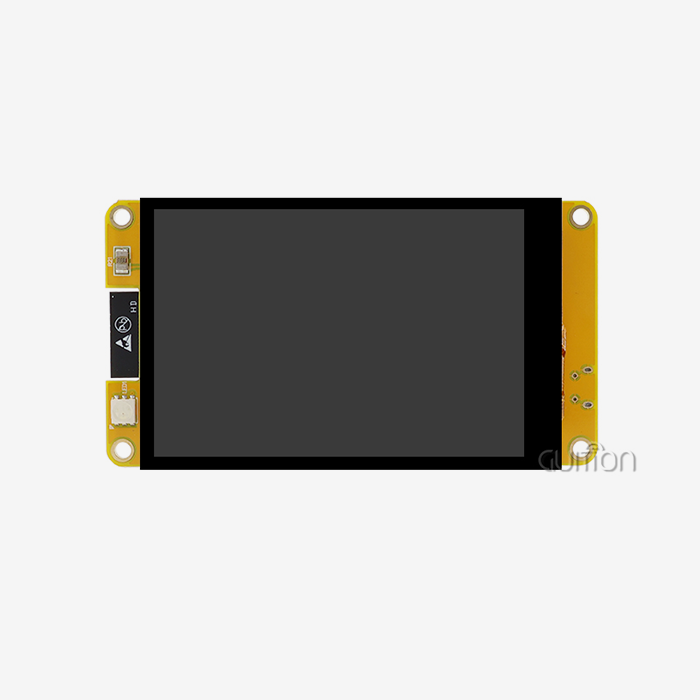
GUITION's JC4827W543R: Examples of this class include it. The device has a 4.3-inch IPS TFT, 480×272 resolution, ESP32-S3R8 dual-core MCU, 512KB SRAM, 8MB PSRAM, 4MB Flash, and resistive touch. It supports Arduino TFT IDE, ESP-IDF, MicroPython, and GUITION's programming environment.
Note that this device differs from the JC4827W543N_I, which has the same 4.3-inch, 480×272, ESP32-S3R8 platform but no touch. Therefore, buyers should clarify the suffix when asking for quotes or samples.
Displays Above 5 Inches
Larger TFT panels are useful when the interface must remain readable while presenting more information.
Typical applications include:
Industrial HMIs
- Automation control panels
- Energy management equipment
- Commercial terminals
- Smart building interfaces
- Large monitoring systems
At this scale, resolution matters more. Detailed dashboards may demand greater resolutions than an 800x480 display for a simple control interface.
Improving system size does not guarantee improvement. The chosen panel must be supported by the MCU, display interface, frame-buffer technique, memory capacity, and software architecture.
How Does Display Size Affect Controller Requirements?
RAM and Frame-Buffer Planning
Choosing a display only on size is a typical error.
More pixels must be processed at higher resolutions. Full-screen buffers for 480x272 and 1280x800 displays differ in pixel count. Color depth and whether the program utilizes multiple buffers affect memory requirements.
MCU selection becomes more crucial as display resolution improves.
ESP32-S3 modules may augment the chip's memory with external PSRAM. While internal RAM may be inadequate for certain applications, Espressif literature suggests extra PSRAM.
Procurement teams ask more than “How much RAM does the module have?” It is:
How much RAM is available for GUI, frame buffers, application code, communications, and other functions?
Arduino Uno Is Not Equivalent to an ESP32-Based Display Module
Traditional Arduino boards and modern esp32 display modules should not be treated as interchangeable platforms.
An Arduino-class microcontroller with limited SRAM may be appropriate for a simple small TFT interface. Once the project requires:
- Touch interaction
- Wireless connectivity
- Complex graphics
- Larger frame buffers
- Multiple communication interfaces
- a more capable MCU platform may be appropriate.
This is also why many current Arduino-compatible display modules integrate their own ESP32 controller, including Arduino TFT displays. The product may still support Arduino IDE while providing considerably more computing and memory resources than a traditional Uno-based design.
Which Display Interface Should You Choose?
SPI for Smaller and Simpler Interfaces
SPI is widely used in compact TFT modules because it requires relatively few signal lines and can be convenient for embedded boards.
It can work well for:
- Small screens
- Simple dashboards
- Sensor interfaces
- Basic touch interfaces
However, engineers should not assume that every TFT display uses SPI simply because it is marketed as Arduino-compatible.
The display controller, supported interface modes, clock requirements, GPIO allocation, and software library should all be checked before selecting a module.
Parallel or Higher-Bandwidth Interfaces for Larger GUIs
Larger displays with higher resolutions can require more display bandwidth. Depending on the product architecture, RGB or other higher-bandwidth interfaces may be more appropriate than a basic SPI connection.
The important point is that display size, resolution, interface bandwidth, and controller capability must be evaluated together.
A 4.3-inch screen with a moderate resolution can have very different system requirements from a 7-inch high-resolution panel even if both are used for an HMI, such as arduino TFT displays.
What Are the Main Advantages and Limitations of Each Size?
Small Displays: Efficient but Space-Limited
The primary advantage of a compact Arduino TFT is the ability to integrate visual feedback into a small product.
They are useful when the interface contains only a few functions. For example, a portable instrument might need to display:
- One primary measurement
- Battery status
- Two or three operating modes
- A small settings menu
A 2.4-inch or 2.8-inch panel may be sufficient for such a design.
The limitation appears when the interface becomes more complicated. Developers may need additional screens and menu levels, which can increase interaction steps.
Medium Displays: More Room for Practical HMIs
A 4.3-inch or similar panel provides more physical space without requiring the enclosure size of a large industrial display.
This makes the category useful for:
- Equipment controllers
- Smart home panels
- IoT gateways
- Laboratory instruments
- Compact industrial interfaces
For B2B products, the medium-size range can also make mechanical integration easier because the display remains compact enough for desktop or wall-mounted equipment while providing sufficient room for a graphical interface.
Large Displays: Better for Information-Dense Interfaces
Large displays are most useful when several pieces of information need to be visible simultaneously.
An industrial dashboard might contain:
- Machine status
- Production values
- Alarm messages
- Trend charts
- Control buttons
A larger screen can accommodate these elements without forcing operators to move through multiple pages.
The trade-off is that larger panels usually require more attention to mechanical mounting, display bandwidth, memory, power, and thermal design.
What Should B2B Buyers Check Before Ordering?
Confirm the Exact Model Number
A supplier may offer several versions of what appears to be the same display.
Differences can include:
- Touch or no touch
- Resistive or capacitive touch
- Different Flash capacity
- Different PSRAM capacity
- Different driver IC
- Different interface
Different enclosure or mounting design
The JC4827W543N_I and JC4827W543R_I example demonstrates why this matters. Both are 4.3-inch 480×272 ESP32-S3R8 modules, but their touch configurations differ.
Request Technical Documentation
Before moving to mass production, request:
- Datasheet
- Mechanical drawing
- Pin definition
- Controller information
- Example code
- Arduino library
- ESP-IDF resources
- Touch documentation
Power specifications
These documents allow engineers to evaluate compatibility before hardware investment.
Test Samples Under Real Conditions
A sample should be evaluated using the actual application rather than a supplier demonstration alone.
Test:
- Startup behavior
- Full-screen refresh
- Touch response
- Brightness settings
- Communication interfaces
- Wireless functions if included
- Long-duration operation
- Enclosure fit
For production projects, testing should also include the intended power supply and operating environment.
Evaluate Long-Term Supply Requirements
A display that works well in a prototype may still create procurement problems during production.
B2B buyers should discuss:
- MOQ
- Lead time
- Sample availability
- Production capacity
- Customization options
- Product lifecycle
- Engineering support
- Replacement or revision policies
These factors become particularly important when the display is integrated into equipment expected to remain in production for several years.
How Can Guition Support Arduino TFT Development?
Integrated Controller and Display Options
GUITION provides Arduino-compatible display modules that combine the TFT panel with an MCU platform.
For example, the JC4827W543R_I integrates a 4.3-inch 480×272 IPS TFT with an ESP32-S3R8 controller, 8MB PSRAM, 4MB Flash, wireless connectivity, and resistive touch. The listed development environments include Arduino IDE, ESP-IDF, MicroPython, and GUITION's own development tools.
This type of integrated architecture can reduce the number of separate components engineers need to select during the prototype stage.
Development Support Matters as Much as Hardware
For commercial projects, development resources can have a major effect on engineering workload.
A supplier should ideally provide:
- Example programs
- Library support
- Hardware documentation
- GUI development resources
- Technical communication
- Sample testing
This is especially useful when a team is moving from a simple prototype toward a production HMI.
Consider Different Versions Before Finalizing the BOM
If a project may require different touch configurations or display versions, compare the relevant models before locking the PCB and enclosure.
For example, a buyer should not assume that the N_I and R_I versions have identical user interfaces simply because they share the same screen size and main controller. Confirming the exact configuration at the sample stage avoids unnecessary PCB and software changes later.
Conclusion
User interface, physical limits, controller capabilities, display resolution, interface bandwidth, and manufacturing needs must be considered while choosing an Arduino TFT size. Compact devices with simple interfaces benefit from small screens, whereas 3.5-inch to 5-inch modules allow for more practical HMI designs. Larger panels allow operators to examine many metrics, charts, and controls, but they need more memory, bandwidth, power, and mechanical design.
The screen size should just be the starting point for B2B projects. Before ordering production, buyers should check the model, touch configuration, controller, memory, interface, software support, mechanical dimensions, and supplier documentation. An Arduino-compatible module with the right MCU and development environment may simplify the prototype-to-product process, while sample testing and supplier communication decrease compatibility and procurement risk.
FAQ
Q: What size Arduino TFT display works best for industrial automation projects?
A: Industrial automation projects typically benefit from 4.3- to 7-inch Arduino TFT displays that provide adequate visual real estate for monitoring multiple parameters simultaneously. The GUITION JC4827W543N_I, with its 4.3-inch screen and 480x272 resolution, offers excellent readability while maintaining manageable integration complexity for most industrial control applications.
Q: How does screen size affect power consumption in Arduino TFT modules?
A: Power consumption scales approximately with screen area, with 2.4-inch Arduino TFT displays typically consuming 40-60 mA, while 4.3-inch variants like the GUITION model can reach 150 mA during active operation. Larger displays also require more processing power for graphics rendering, indirectly increasing overall system power requirements.
Q: Can I use the same Arduino libraries across different TFT display sizes?
A: Most modern Arduino TFT libraries support multiple display sizes through configurable parameters, but performance optimization may require size-specific adjustments. Libraries like TFT_eSPI offer broad compatibility, while the GUITION development environment provides optimized support across the full 1.28 to 21.5 inches.
Q: What advantages do larger Arduino TFT displays offer for commercial applications?
A: Larger Arduino TFT displays enable sophisticated user interfaces with multiple data fields, detailed graphics, and intuitive navigation systems. They reduce operator training requirements and improve efficiency in commercial terminals, point-of-sale systems, and complex monitoring applications where extensive visual real estate enhances usability and reduces errors.
Partner with Guition for Your Arduino TFT Display Requirements
Looking for reliable Arduino TFT display solutions that combine cutting-edge technology with comprehensive development support? Guition delivers industry-leading HMI modules spanning the complete size range from compact 1.28-inch displays to expansive 21.5-inch panels. Our GUITION JC4827W543N_I exemplifies our commitment to excellence, featuring ESP32-S3R8 dual-core architecture, integrated Wi-Fi and Bluetooth connectivity, and our proprietary development tools that accelerate your time-to-market. As a leading Arduino TFT manufacturer, we provide comprehensive secondary development interfaces, cross-platform debugging, and remote upgrade capabilities that simplify deployment and maintenance. Connect with our technical team at david@guition.com to discuss your specific requirements and discover how our comprehensive ecosystem approach can transform your embedded display projects into market-leading solutions.
References
1. Smith, J. (2023). "Industrial Display Integration Handbook: Selecting Optimal Screen Sizes for Embedded Applications." Journal of Embedded Systems Engineering, Vol. 15, No. 3, pp. 45-62.
2. Chen, L., & Rodriguez, M. (2024). "Performance Analysis of TFT Display Technologies in Arduino-Based Industrial Control Systems." International Conference on Human-Machine Interface Design, pp. 112-127.
3. Williams, K. (2023). "Cost-Benefit Analysis of Display Size Selection in Commercial Embedded Systems." Procurement Management Quarterly, Vol. 28, No. 2, pp. 78-91.
4. Anderson, R., et al. (2024). "Touch Interface Optimization for Industrial TFT Displays: A Comparative Study of Resistive vs. Capacitive Technologies." IEEE Transactions on Industrial Electronics, Vol. 71, No. 4, pp. 234-248.
5. Thompson, D. (2023). "Supply Chain Management Strategies for Electronic Display Components in B2B Procurement." Industrial Electronics Today, Vol. 42, No. 8, pp. 156-171.
6. Kumar, S., & Zhang, W. (2024). "Memory Management Optimization Techniques for Large-Format Arduino TFT Display Applications." Embedded Systems Design Magazine, Vol. 17, No. 1, pp. 89-104.
Learn about our latest products and discounts through SMS or email